
Congratulations. You've taken that spark of an idea and turned it into something real.
You've officially started your own business.
But now you've taken that first terrifying step, you're faced with an entirely new one: showing it to the world.
It's an exciting time, but it can feel overwhelming. Where do you begin? How do you tell people what you do and how to find you?
You need a website
A website is the best place to start. Your business deserves a home online. You need to stake your claim on the internet and tell the world about this exciting new thing you've created.
You might be thinking: "I'll just start with some social media accounts. Easy, right? It's free, quick and it gets you in front of people." And that's fine — but there's a catch. What about the potential customers who aren't on that particular network? What if the algorithm changes and suddenly fewer people see your posts? What about search engines? Your advertising? Are people going to remember your username, especially if you end up having slightly different names across the different networks?
Having a website solves these problems.
It's a space you own. It's consistent and completely in your control. You can link to it from your socials and emails, use it in adverts and even add it to business cards and packaging. Your website pulls in all your customers, shows up in search engines and you don't have to worry about whether or not you're AnnettesPets or AnnettesPetSupply or Annette9375. It gives you the chance to tell your story properly, not in a box marked "character limit".
So how do you get one?
How do I get a website?
To create a website, you need two ingredients: a domain name and web hosting.
Your domain name is your address. It's what people type into their browser to go directly go to your website. You'll want to put it on everything — business cards, flyers, signs, even those fancy giveaway pens you hand out at events.
Web hosting is where your website lives. It holds all the content — the text, the images, the files — and makes sure everything's up and running whenever someone visits your domain.
With these two, you can do almost anything online, and it's all yours – you're not just trapped in one ecosystem, only able to talk to the same people, limited by the rules of the platform. You're independent. Visible. Open for business.
And the good news is, you can get both your domain and web hosting from the same place, which makes it even easier to get your site up and running right away.
Let's walk through it with a real-world example.
How to get your site online — step by step
In this example, we'll use our favourite fictional pet supply shop — Annette's Pets.
Annette has just started her business and wants to set up her website quickly, without too much technical faff. Here's how easy it is with Krystal.
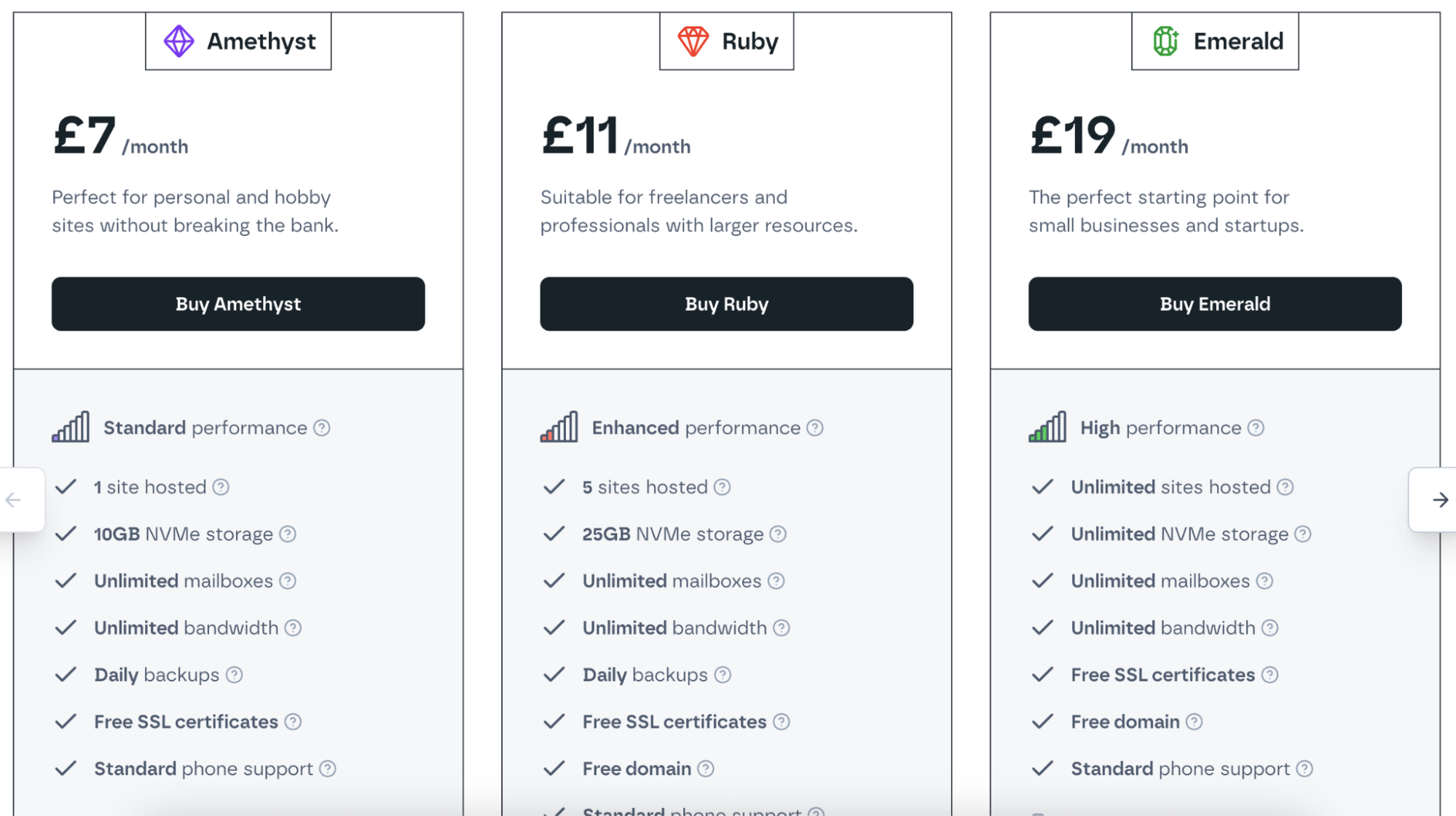
Step 1: Choose your hosting package
The right hosting package depends on your individual needs. If you have lots of photos or large files, you'll need more storage space. Annette's just starting out, so an Amethyst package will do nicely. If her business grows, she can always upgrade later.
Step 2: Choose your domain name
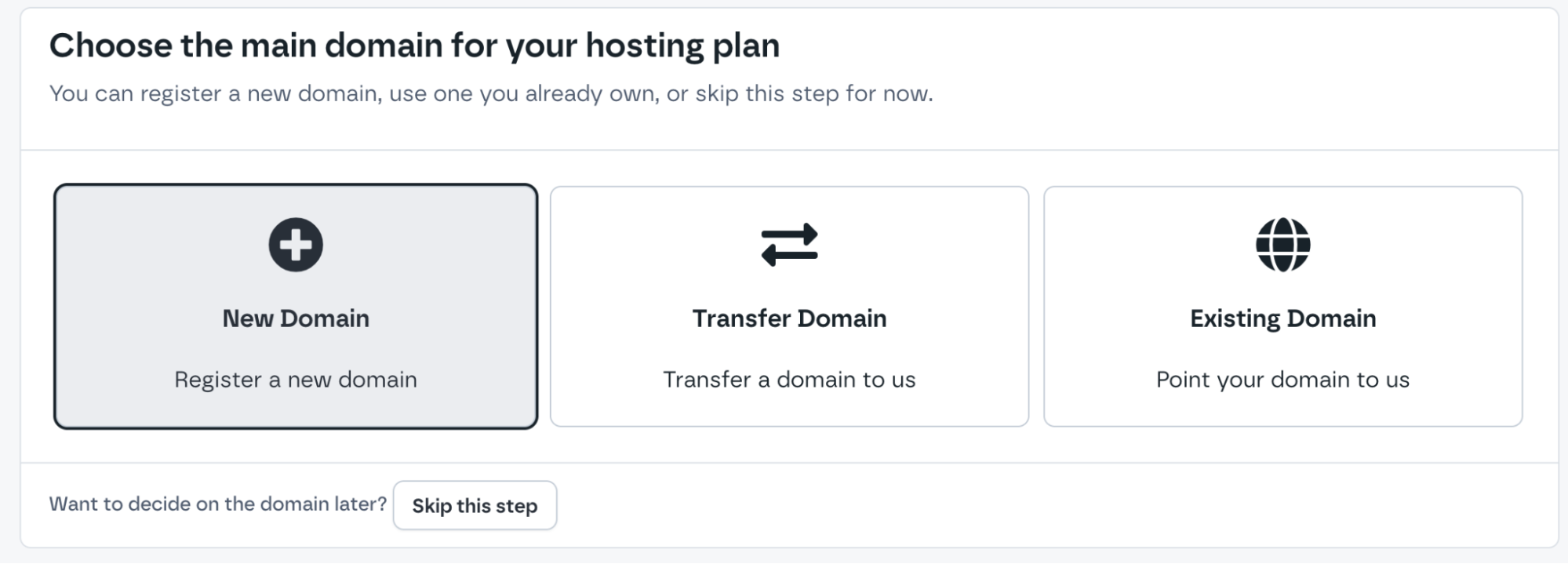
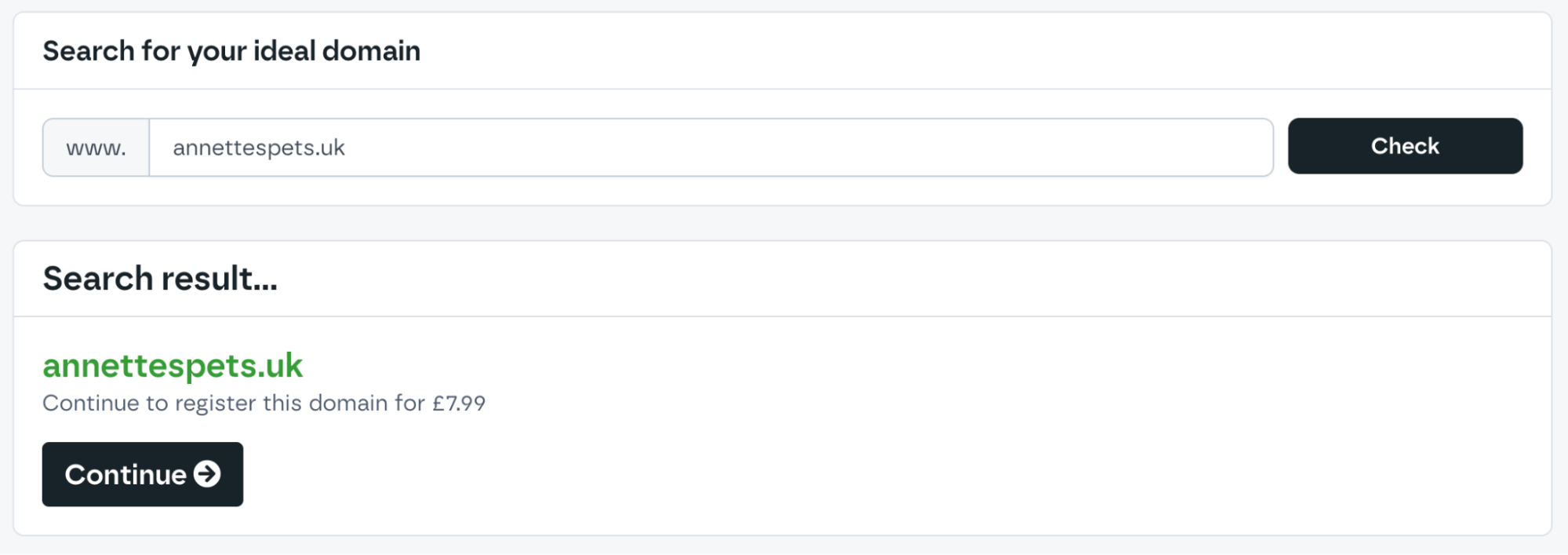
Annette plays around with different names in the Krystal domain search tool until she finds one that feels right. She chooses a simple name that matches her business and adds a domain extension (also called a TLD) like .com or .co.uk, depending on where she's based.
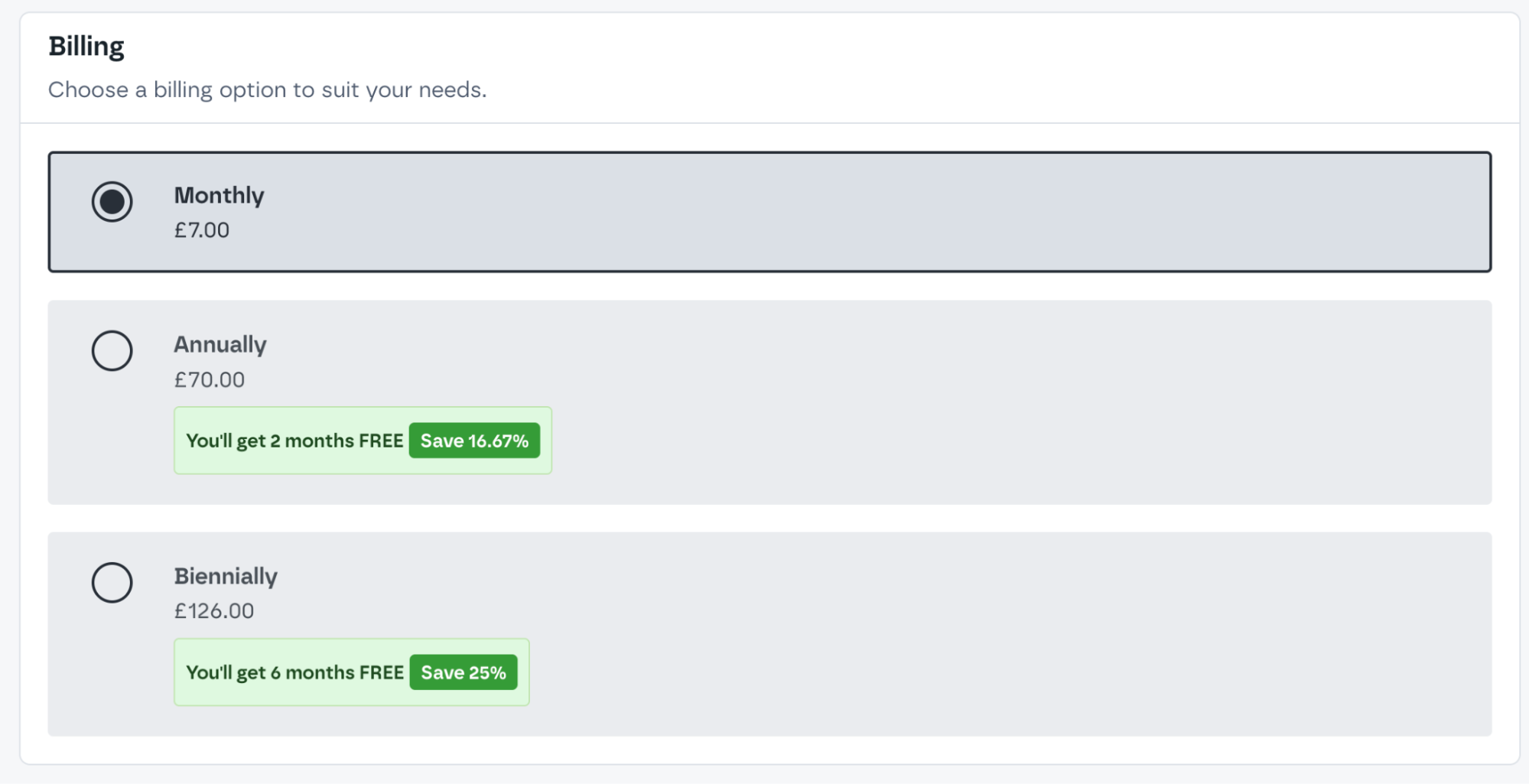
Step 3: Choose your billing
Annette decides how often she wants to be billed. Monthly offers more flexibility, while annual or two-year plans can save her money. Either way, her domain name will renew every year.
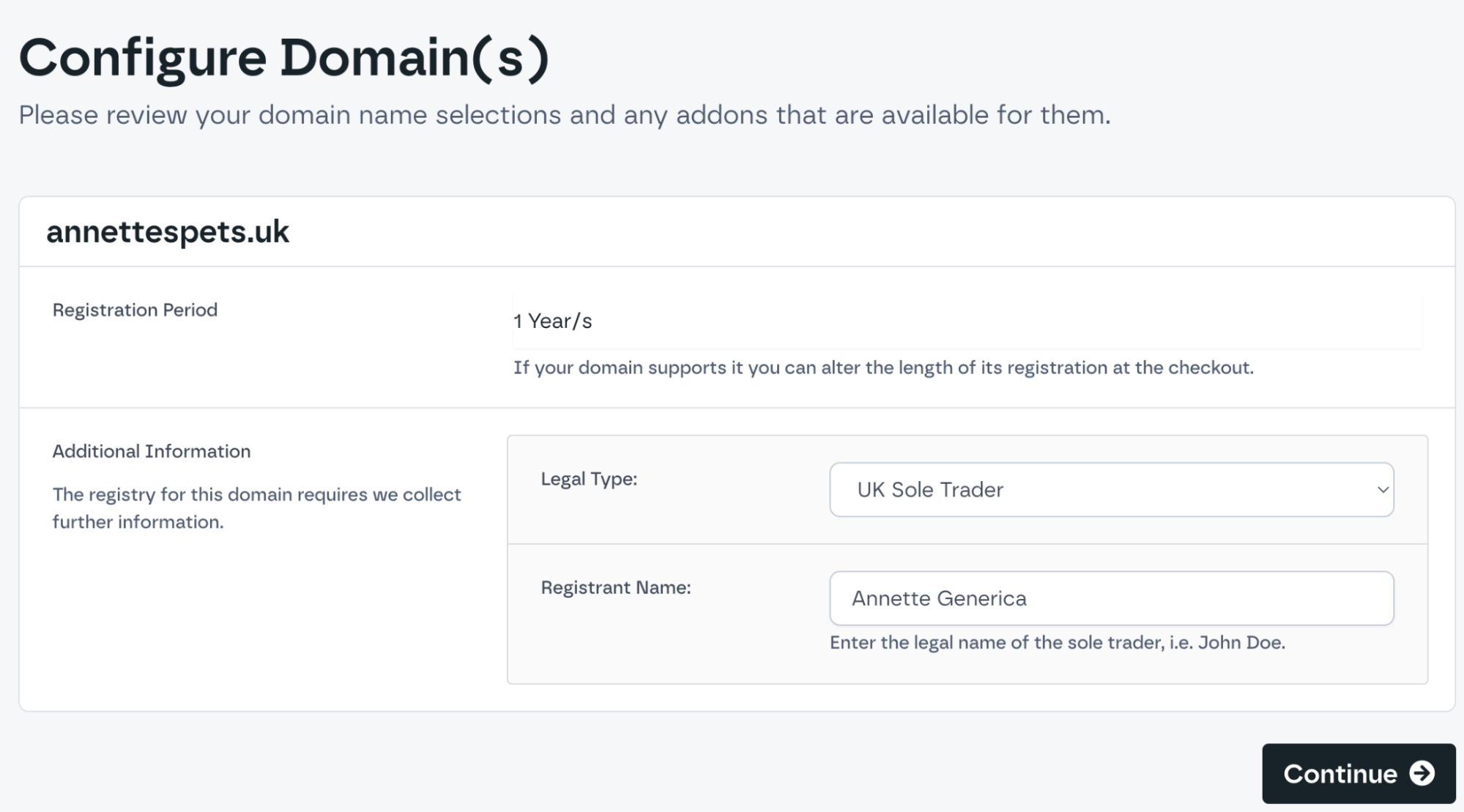
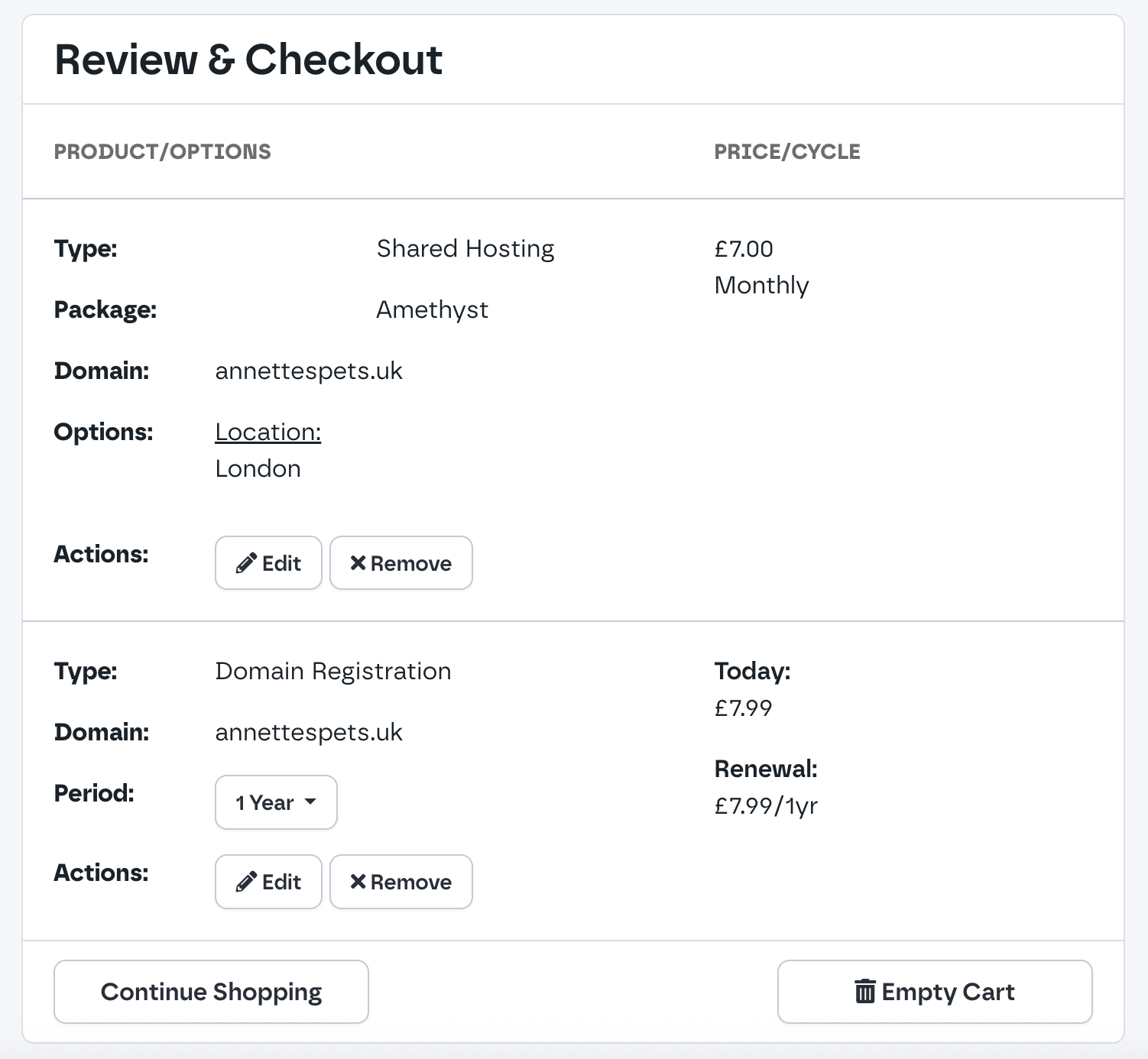
Step 4: Confirm your details and checkout!
A quick form to confirm her contact and business information, complete checkout and she's done. The Annette's Pets website is online!
What comes next?
Getting your website online is the easy part. Actually putting stuff on it can be more tricky.
There are lots of ways you can turn your blank site into a 'real' website. You could code it from scratch yourself (using HTML and CSS — the essential building blocks of every website), use a website builder app or pay an agency to do it for you.
Luckily, you don't need to pay thousands of pounds or learn to become a code ninja, because there's a much easier, smarter and cost-effective choice: WordPress.
What is WordPress?
WordPress is a content management system (CMS) that powers over 43% of websites on the internet.
That's a lot of trust, and for good reason. It's powerful, flexible and seriously user-friendly.
WordPress designs, builds and organises pages on your website without you needing to know a single line of code. All you have to do is write some copy, pick some pictures and click "Publish". It really is that easy.
With WordPress, you can create everything from a shop or booking system to a blog or a gallery — and so much more!
How do I set up WordPress?
With Krystal, installing WordPress is simple. Log into your website through Krystal Identity, scroll down to the Software section and open the Softaculous Apps Installer. You'll see WordPress in the list of applications. Choose it, follow the instructions and you're in.
You'll also find some easy-to-follow instructions in our knowledge base, and our support team are on hand to guide you through anything should you need us.
What do I do next?
It's entirely up to you now. You have the domain, you have the website, and that little blinking cursor is just waiting for you to start adding in your information. But what on earth goes on a website?
Don't worry, you don't have to reinvent the wheel. Just start with what you know and do a little research.
What do you like?
Think about all the businesses you visit online. What are you looking for? How do you like to see a page organised? Is there something that keeps on being left off that annoys you? What looks good to you? What looks terrible? Once you know what you like to see, you can start to work out what your customers would want to know about you.
What do other businesses do?
Research the competition. See what they've put on their websites. Don't steal their content or copy their style, but get a feel for what kind of things they think customers want to see. Sometimes you'll see exactly what you expect to see, sometimes you'll be surprised by something you hadn't thought about at all, and, sometimes, if you're really lucky, you'll see exactly what you can do better and corner the market.
What do you already have?
What do you already have on hand that you can use? Brochures, menus, photos, price lists, anything – if you'd use it to promote your business in person, it can be used to promote your business online. You'll be surprised how much of your existing business marketing can be easily ported to online marketing!
After you've thought about what you'd like to see, what other businesses do, and what materials you have on hand, you can start organising it all together to add to your brand-new website.
You've built the business. Now get it online.
Starting a business is the hard part. You've already done that. Now it's time to claim your space online and get started on your business website. So, what are you waiting for?
Share this article
About the author

Kate B
I'm Kate, and I'm one of the Senior Marketing Managers here at Krystal. I'm a transplanted Southern Californian who likes bad pop culture, the Internet, and talking everyone's ears off about web hosting. Howdy!