

You've got a good WordPress website. You're pretty happy with it, it has everything you need, but it's a bit...lacking. The theme's working, the structure's solid, but the body of the page just doesn't pop. There's nothing to keep people scrolling.
So, how do you take a perfectly good site and make it better?
Start experimenting with WordPress Blocks.
What are WordPress Blocks?
If you're using Gutenberg, the built-in WordPress editor, your content is already made up of blocks. That means instead of just one giant pile of text with some slight formatting attached, your content is broken up into clearly defined pieces:
Heading Block
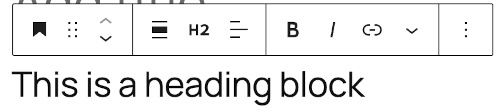
Paragraph Block

Image Block
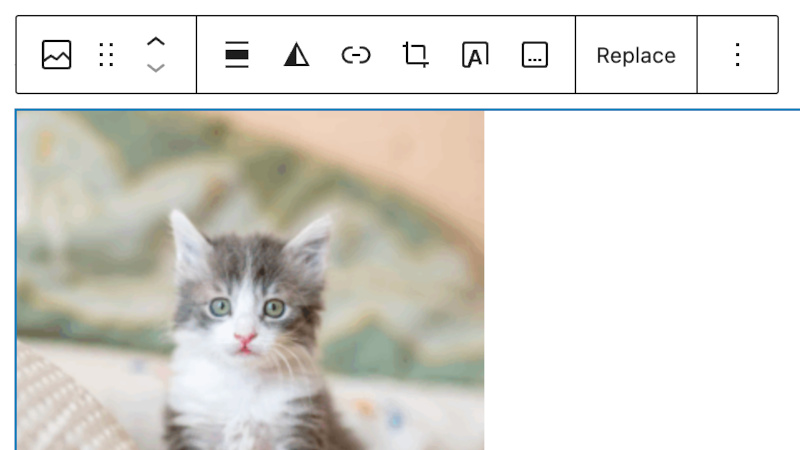
And so on. These blocks make it easier to move things around, format sections correctly, and just generally build your site to fit your needs.
Need a pull quote in the middle of an article? Want to embed your latest TikTok video? Need a subscribe button? A calendar that shows when you posted? Author name? Data table? Code? All of those are blocks, and they're built into your basic WordPress installation.
Blocks for practically everything
There are so many pre-made blocks as well — over 300 of them. Want to put content into tabs? There's a Tabs Block. Need an automatically generated table of contents? Table of Content Block. Modal windows that appear when you need them? Light Modal Block. Heck, want to make it look like you're on Mars and all your posts are scheduled according to the Martian solar day? Mars Sol Date Block.
If there's a reason to have it, there's probably a block for it.
Or make your own
You don't have to stick with the standard options, either. WordPress lets create your own blocks — perfectly formatted sections of content you can drop in wherever you need them.
Product card, team member bios, disclaimers, testimonials — if you use it often, you can make it a block and it's there when you need it.
WordPress has a detailed tutorial on how to build your first block. You'll need a bit of programming knowledge, but the guide breaks things down clearly. It's easier than it looks.
Blocks are great for popping into pages and posts you're creating now. But what if you know you need a lot of different blocks on one post regularly? What if you want to turn this collection of blocks into something you use over and over again?
That's when you have a WordPress Pattern.
What are WordPress Patterns?
Patterns are collections of blocks that give you a quick and easy way to have a professional and consistent design across your website. Rather than recreating the look you want across each and every page, you just create a new post, drag the pattern in, and all the elements are right there.
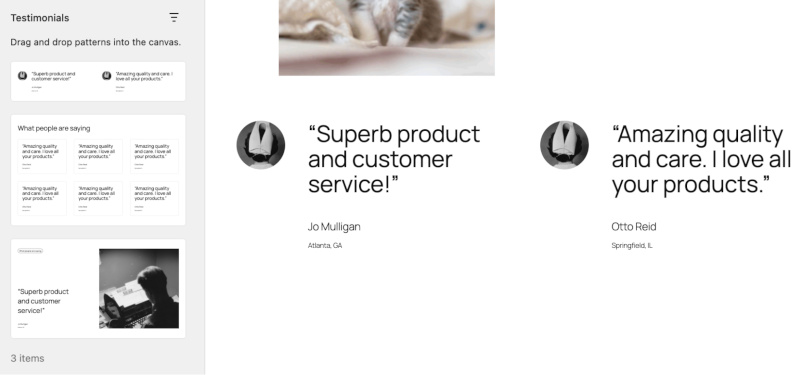
There are over 1500 patterns available, all ready to be used with your WordPress site, from photo galleries, to call-to-actions, to multiple columns of text, to big splashy headlines that'll catch people's attention instantly.
And they're all made from existing WordPress blocks. No need to install complicated plugins or learn how to code, just drag, drop, tweak and you're done. A beautiful piece of content in practically an instant.
Make your own patterns
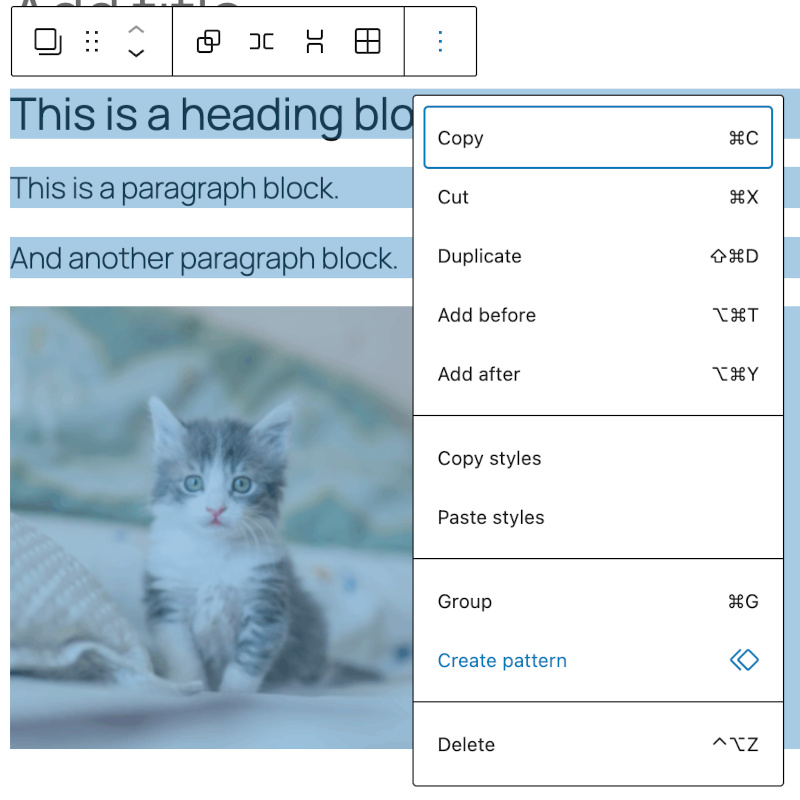
You can also create your own patterns. Just select all the blocks you want to include, click the three-dot menu on the right end of the block toolbar, and select "Create Pattern". Give your pattern a name and a category, and now anyone using your site can quickly pull in a pattern whenever they need it, whether it's adding in a perfect "Subscribe to our newsletter" section or pulling in your five-star reviews.
There's even more you can do with patterns if you want to explore further. WordPress has a detailed section in their Developers' Theme Handbook.
Why should I use blocks and patterns instead of a page builder?
In the past, WordPress was great for producing content in the body of a page, but it wasn't great for building the page itself. Anything you'd edit in the theme would show up on all the pages of your site, and even if you knew how to code, it could get very messy, very fast.
Page builder plugins were a great way to fix that problem. Using Elementor, Divi, Bricks, or any other page builder made it easy to build unique pages without having to know how to code, giving you the versatility you needed while still using WordPress.
But now that blocks and patterns are baked into WordPress, those page builder plugins might be doing more harm than good.
The performance
Making your WordPress site as fast-loading as possible is essential. One of the easiest ways to speed up your site is to ensure that you're not bogging down your site with unnecessary code. In order to give your site the drag-and-drop functionality you require to build it, page builders have a lot of JavaScript, CSS and HTML built in. All this extra code could affect your site's performance.
Blocks and patterns are native to WordPress. They're lightweight, streamlined and built to keep performance high without any bloated code or extra loading that could slow everything down.
The flexibility
You've seen this happen all the time. A new version of something comes out, and, suddenly, the tried-and-tested way you do things no longer works. Whether it's your operating system, your phone, or even your local shop rearranging their shelves, that period of time between things changing and things actually working again is immensely frustrating.
Now imagine that happening when WordPress updates. Or when you want to change your site's theme. Or add a new plugin. Or what if the company that's built your page builder decides they don't want to support it any more?
Blocks and patterns are an integral part of WordPress, so they move with it. When WordPress updates, they update automatically. Switch themes? They still work. Change plugin settings? No problem. No more waiting for fixes or workarounds. They're simply part of the system.
The cost
Like most plugins, there are free versions of page builders available in the WordPress Plugins directory. But you're then limited by what you can do. For all the features you might want, you'll need to pay, which means you're looking at, at least, an extra £50 a year to add to your hosting budget.
Blocks and patterns are included with WordPress, meaning that, unless you pay someone to build a custom one for you, they'll be free. And stay that way.
By combining blocks, patterns and your WordPress theme together, you can build a faster, more flexible site — without adding cost or complexity.
No extra code. No heavy plugins. Just a beautiful, functional website built just the way you want it.
Share this article
About the author

Kate B
I'm Kate, and I'm one of the Senior Marketing Managers here at Krystal. I'm a transplanted Southern Californian who likes bad pop culture, the Internet, and talking everyone's ears off about web hosting. Howdy!